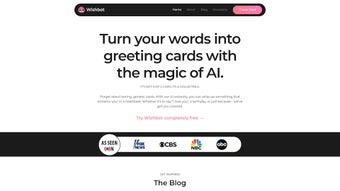

Download GreetsApp – AI‑Powered eCard Creator, Free & Secure Tool for Every Occasion
Overview
GreetsApp is a cutting‑edge, web‑based application that harnesses artificial intelligence to help you design, personalize, and send eCards in under a minute. Whether you’re celebrating birthdays, anniversaries, holidays, graduations, or simply saying “thinking of you,” GreetsApp removes the friction of writer’s block by offering AI‑driven suggestions for text, images, fonts, and layout. The platform doubles as a memory‑saving vault, automatically archiving every eCard you create so that heartfelt messages never get lost in the digital shuffle.
Built for speed, security, and simplicity, GreetsApp works on any modern browser and integrates seamlessly with popular email and messaging services such as Gmail, Outlook, WhatsApp, and Facebook Messenger. The result is a fast, free, and secure way to convey genuine sentiment without the hassle of traditional card‑making or generic e‑greeting services. In addition, GreetsApp respects user privacy by employing end‑to‑end encryption for all stored content, complying with GDPR and CCPA regulations.
This combination of AI creativity, instant delivery, and robust data protection makes GreetsApp a compelling choice for individuals, families, and small businesses looking to maintain personal connections in an increasingly digital world.
Key Features That Set GreetsApp Apart
AI‑Assisted Content Creation
GreetsApp’s core engine analyses the occasion you select and instantly generates personalized greetings, complete with tone‑adjusted wording, emojis, and suggested visual themes. The AI learns from your editing choices, refining future suggestions to match your unique voice. This means you spend less time brainstorming and more time connecting, while still retaining a genuine, human‑like touch. Advanced users can toggle between “Formal,” “Friendly,” “Humorous,” or “Inspirational” tone presets, allowing the AI to adapt language style, sentence length, and even cultural references appropriate for the recipient’s background.
Rapid Design & Send Workflow
The drag‑and‑drop canvas is optimized for speed. Choose a template, let the AI fill in the text, swap images, and hit “Send” — all in under 60 seconds. The platform also supports batch sending, allowing you to address multiple recipients with a single click while still preserving individual personalization through dynamic placeholder tags like {{FirstName}}. For businesses, the batch feature can be paired with email‑marketing tools via simple API hooks, enabling automated holiday campaigns or customer‑appreciation messages without manual effort.
Secure Cloud Archive
Every eCard you create is stored in an encrypted cloud vault, accessible from any device. This archive not only prevents loss but also serves as a personal timeline of the connections you’ve nurtured. You can revisit past messages, download them as high‑resolution PDFs, or share them again with a single tap. The vault includes version history, so if you ever need to revert to an earlier draft, the system retains each iteration for up to 90 days, giving you full control over your creative process.
Cross‑Platform Compatibility
GreetsApp runs smoothly on Windows, macOS, Linux, Android, and iOS through any modern browser. No additional downloads are required, making it a truly universal solution for families and teams that span multiple operating systems. The responsive design automatically adjusts UI elements for touch screens, mouse‑driven desktops, and high‑DPI displays, ensuring a consistent experience whether you’re on a 13‑inch laptop or a 6‑inch smartphone.
Free Tier & Premium Upgrades
The free version provides unlimited eCards, basic templates, and cloud storage up to 2 GB. For power users, a premium subscription unlocks premium artwork, advanced AI tone controls, animated eCards, expanded storage (up to 100 GB), and priority customer support. Premium members also receive early access to seasonal template packs and the ability to brand cards with custom logos—an attractive feature for small businesses seeking consistent visual identity.
- AI‑generated greeting text tailored to occasion and tone
- Over 250 customizable templates, including animated options for premium users
- One‑click send to email, SMS, or major social platforms
- Secure, encrypted cloud archive with version history
- Multi‑device sync for Windows, macOS, Linux, Android, iOS
- Free tier with optional premium upgrades and bulk‑send capabilities
Installation & Usage Instructions
Getting Started – No Download Required
Because GreetsApp is a web‑application, you don’t need to install any software on your computer or mobile device. Simply navigate to greetsapp.com, create a free account using your email address or a social login (Google, Facebook, or Apple), and you’re ready to start designing eCards. The platform is built with responsive design principles, ensuring a smooth experience whether you’re on a desktop monitor, a laptop, or a smartphone. First‑time users are greeted with an interactive tutorial that highlights the main UI elements, explains how to select occasions, and demonstrates the AI‑generation button.
Step‑by‑Step Workflow
- Choose Your Occasion: Select from categories such as Birthday, Anniversary, Holiday, Graduation, or “Custom”. Each category triggers a set of AI‑trained language models optimized for that theme.
- Pick a Template: Browse the curated gallery; each template includes AI‑suggested color palettes, graphics, and animation settings (premium only). Templates are organized by style (modern, classic, playful) and can be filtered by aspect ratio for different platforms.
- Let AI Draft the Message: Click “Generate Message”. The AI proposes a greeting based on the occasion, relationship, and preferred tone (e.g., formal, funny, heartfelt). You can accept the suggestion outright or edit any part of the text.
- Personalize: Edit the text, replace images, add stickers, upload your own photos, or adjust animation speed. All changes are reflected instantly thanks to real‑time rendering.
- Preview & Send: Use the preview mode to see how the card will appear on different devices (desktop, mobile, tablet). When satisfied, click “Send” and choose the delivery method—email, WhatsApp, Facebook Messenger, or a shareable link.
- Archive Automatically: The sent card is saved in your personal vault, accessible via the “My Cards” dashboard. You can organize cards into collections (e.g., “Family”, “Clients”) and apply tags for quick retrieval.
Updating & Maintaining Your Account
GreetsApp rolls out updates automatically on the server side, so you always have the latest AI models, template library, and security patches without any manual intervention. Premium subscribers receive priority access to new features, such as animated eCards, advanced analytics that show open rates and recipient engagement, and a bulk‑import tool for uploading large contact lists. Account settings allow you to manage subscription billing, configure two‑factor authentication, and export your entire card archive as a zip file for offline backup.
Compatibility Details
GreetsApp is compatible with all major operating systems that support a modern web browser: Windows 10/11, macOS 12+, Linux distributions (Ubuntu, Fedora, Debian), Android 9+, and iOS 13+. The service follows the latest web standards (HTML5, CSS3, and JavaScript ES6) to guarantee fast load times, low latency AI responses, and a responsive UI that adapts to any screen size.
Pros and Cons – A Balanced Look at GreetsApp
What Users Love
- Speed: Create and send a personalized eCard in under a minute, thanks to AI‑generated content and a streamlined drag‑and‑drop interface.
- AI Quality: The AI produces natural, context‑aware messages that feel genuinely authored, reducing the time spent on drafting.
- Zero Installation: Accessible from any device with a browser, eliminating the need for downloads or updates.
- Secure Archive: Encrypted storage protects your sentimental messages and offers version history for peace of mind.
- Cross‑Platform: Works seamlessly on Windows, Mac, Linux, Android, and iOS, ensuring consistent performance across households and workplaces.
- Generous Free Tier: Unlimited cards, basic templates, and 2 GB of cloud storage make it ideal for casual users.
- Batch Sending & Analytics: Premium users benefit from bulk‑send capabilities and detailed engagement metrics.
Areas for Improvement
- Limited Offline Access: Since it’s web‑based, an active internet connection is required to create or send new cards, which may be inconvenient in low‑bandwidth environments.
- Template Variety: While the library is expanding, the premium collection still trails behind some high‑end design tools in terms of sheer number of unique illustrations.
- Learning Curve for AI Controls: Advanced tone adjustments and animation settings may require a few attempts to master, especially for first‑time users.
- Premium Pricing: The subscription cost, though competitive, may be perceived as high compared to completely free e‑greeting sites that offer fewer features.
- Export Options: Currently only PDF export is supported; many users request additional formats such as PNG, JPEG, or MP4 for animated cards.
- Integration Limits: Direct integration with third‑party CRM platforms is still in beta, limiting seamless workflow for businesses.
Conclusion – Should You Download GreetsApp?
In a world where digital communication often feels rushed and impersonal, GreetsApp provides a refreshing alternative that blends creativity, speed, and security. Its AI‑powered engine eliminates writer’s block, the rapid design workflow saves precious time, and the secure cloud archive ensures your most meaningful messages are preserved forever. Whether you’re a busy professional looking to maintain personal connections, a family member who wants to send heartfelt birthday wishes, or a small business seeking a unique way to engage customers, GreetsApp offers a free, secure, and cross‑platform solution that scales with your needs. The only real drawback is its reliance on an internet connection, but for most users this is a minor inconvenience compared to the value delivered. If you’re ready to upgrade your digital greetings and make every message count, click the button below to start your free account today.
Start Sending Personalized eCards for Free
Frequently Asked Questions
Is GreetsApp really free to use?
Yes, GreetsApp offers a robust free tier that includes unlimited eCards, basic templates, and up to 2 GB of secure cloud storage. Premium features such as animated cards, expanded storage, and advanced AI tone controls are optional upgrades.
Do I need to install any software?
No. GreetsApp is a web application, so you simply open it in a modern browser on Windows, macOS, Linux, Android, or iOS. There’s no download or installation required.
How secure is the cloud archive?
All stored eCards are encrypted both in transit (TLS) and at rest (AES‑256). GreetsApp complies with GDPR and CCPA standards, ensuring your personal messages remain private and protected from unauthorized access.
Can I send eCards via social media?
Absolutely. After designing your card, you can share it directly to Facebook Messenger, WhatsApp, Instagram Direct, or generate a shareable link that works on any platform.
What happens if I lose internet access?
Since GreetsApp is cloud‑based, you’ll need an internet connection to create or send new cards. However, previously sent cards are stored locally in your browser cache, allowing you to view them offline, and you can download any card as a PDF for offline sharing.



.png)



